

Mechanical keyboards are everywhere now — from home offices and gaming setups to shared family desks. They’re durable, customizable, and satisfying to use, but they also collect more grime than most people realize. Dust, skin oils, food crumbs, pet hair, and bacteria settle deep between switches and under keycaps. Over time, that buildup affects performance, appearance, and hygiene.
At Maid Masters, a professional cleaning service Rowlett TX homeowners rely on, we see firsthand how small, overlooked areas quietly collect the most dirt. A mechanical keyboard is no different. While it may not be as obvious as a dirty floor or countertop, it still plays a role in the overall cleanliness of your home — especially if you work from home or share devices.
This guide walks through how to safely clean your mechanical keyboard without damaging switches or keycaps, and how it fits into a healthier, cleaner home.
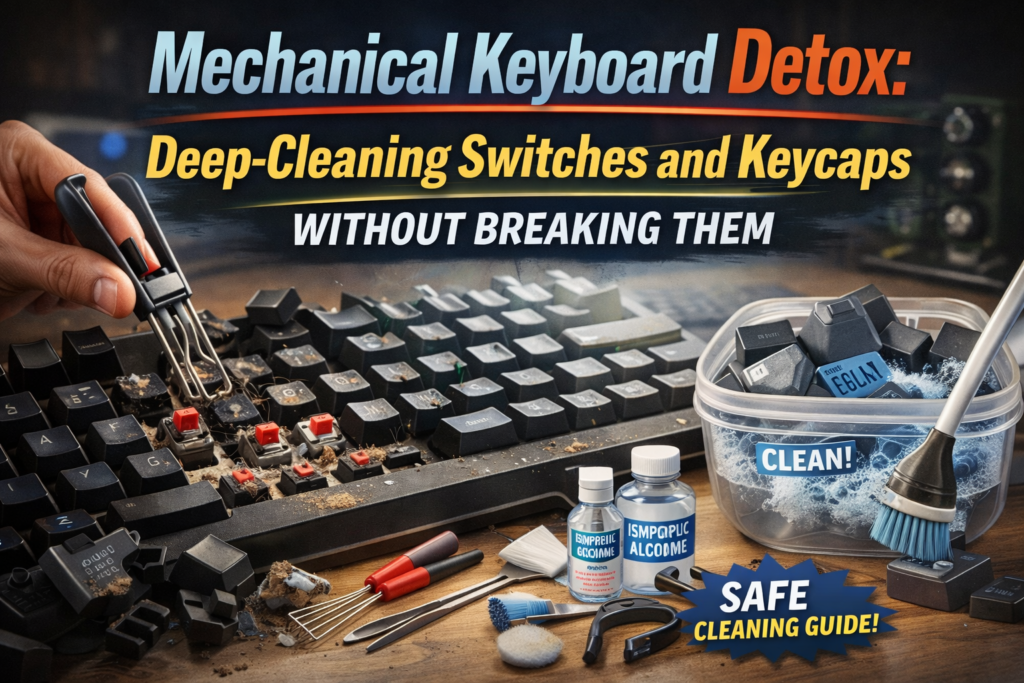
Why Mechanical Keyboards Get So Dirty
Mechanical keyboards have open switch designs that allow particles to fall through easily. Every keystroke pushes debris deeper into the board. Unlike flat keyboards, grime doesn’t just sit on the surface — it hides underneath.
Common contributors include:
- Skin oils from hands
- Dust from the home environment
- Food crumbs and drink splashes
- Pet hair and dander
- Makeup or lotion residue
Over time, this buildup can cause sticky keys, inconsistent response, and unpleasant odors. From a residential cleaning Rowlett TX perspective, keyboards are high‑touch surfaces that deserve the same attention as door handles or light switches.
Before You Start: What Not to Do
Many keyboards are damaged by well‑intended but aggressive cleaning.
Avoid:
- Pouring liquid directly onto the keyboard
- Submerging switches
- Using harsh chemicals or bleach
- Scrubbing with stiff brushes
- Using compressed air too close to switches
Cleaning safely is about patience, not force.
Step 1: Disconnect and Prep the Workspace
Always unplug the keyboard or power it down completely. Set up a clean, dry surface with good lighting. Lay out a towel to catch debris and organize keycaps.
This preparation step mirrors what we do during deep cleaning Rowlett TX services — starting clean prevents spreading dirt elsewhere.
Step 2: Remove and Clean Keycaps
Use a keycap puller to gently remove keycaps. Never pry them off with sharp tools.
Cleaning the Keycaps
- Place keycaps in warm water with mild soap
- Let soak briefly to loosen oils and grime
- Gently agitate by hand
- Rinse thoroughly
- Air dry completely before reinstalling
Keycaps must be fully dry. Reinstalling damp keycaps can damage switches.
Step 3: Clean the Keyboard Plate and Switch Area
With keycaps removed, you’ll see how much debris accumulates underneath.
Safe Cleaning Methods
- Use a soft brush to loosen dust
- Lightly vacuum using a brush attachment
- Use compressed air at an angle, from a distance
For sticky spots, a lightly damp microfiber cloth can be used around — not inside — switches.
This level of detail cleaning reflects what clients expect from house cleaners near me Rowlett TX who focus on thoroughness rather than speed.
Step 4: Address Odors and Oils
Odors often come from oils transferred from hands. Cleaning the surface plate around switches removes residue that traps smells.
Allow the keyboard to air out fully before reinstalling keycaps. Good airflow helps, just like ventilating rooms after weekly house cleaning Rowlett TX appointments.
Step 5: Reassemble Carefully
Once everything is completely dry, reinstall keycaps by pressing straight down — never force them. Test a few keys before fully using the keyboard.
A clean keyboard should feel responsive, smooth, and noticeably fresher.
How Keyboard Cleaning Fits Into a Clean Home
While keyboard cleaning is a small task, it contributes to a cleaner overall environment. Home offices collect dust faster than other rooms, especially with electronics generating static.
During house cleaning Rowlett TX services, workspaces are often high‑priority zones because they’re used daily and touched constantly.
Ignoring these areas allows grime to spread to desks, chairs, and floors.
Move‑In and Move‑Out Cleaning Considerations
If you’re relocating, electronics hygiene still matters.
Move‑In Cleaning
A proper move-in cleaning Rowlett TX service prepares the home, but personal items like keyboards should be cleaned before use in a new space. This prevents carrying old dust and bacteria into a fresh environment.
Move‑Out Cleaning
For remote workers, move out cleaning Rowlett TX should include desks and office spaces. A clean workstation helps present the home well and supports final walkthroughs.
Professional Cleaning Makes Daily Life Easier
Most homeowners don’t have time to deep clean everything themselves. That’s where affordable house cleaning Rowlett TX options come in.
A consistent maid service Rowlett TX helps manage dust, disinfect high‑touch areas, and keep workspaces healthier between deep cleans.
Professional teams understand where dirt hides — and how to remove it safely.
Clean Tools, Cleaner Living
Your keyboard is something you touch every day. Keeping it clean improves comfort, performance, and hygiene. When paired with consistent residential cleaning Rowlett TX services, it supports a healthier home overall.
Whether you’re scheduling weekly house cleaning Rowlett TX or an occasional deep cleaning Rowlett TX, small details like keyboard hygiene reflect a larger commitment to cleanliness.
A clean workspace leads to clearer focus — and a cleaner home supports everything else.
Contact us at 817–609–7374 or visit https://maidmasterstx.com/ to book your service.